Pledges
The View and Enter Pledges screen keeps track of the pledge information for potential and definite Givers and the pledge campaigns, towards which they set a goal to donate an amount of money within set time frames. Use the View and Enter Pledges screen to work with all that involves pledge campaigns and its participants.
To access the View and Enter Pledges screen:
- From The Initial Portal of Church Windows choose Donations and then either:
- Click the blue ribbon button in the box of :

- Click Accounts & Pledges in the Button Bar at the top of the screen
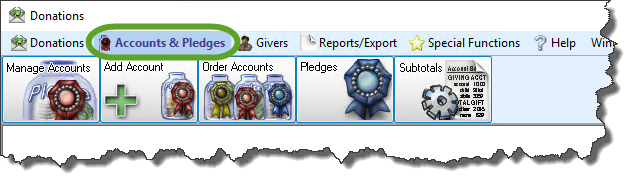
- Then from the menu options that appear underneath, click Pledges button

- This will open the View and Enter Pledges screen:
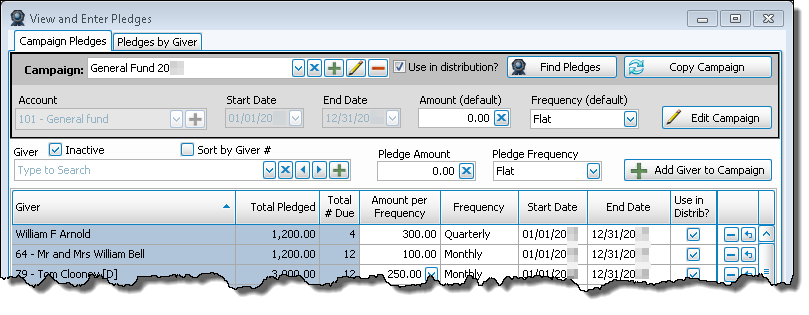
- This screen is separated into two tabs:
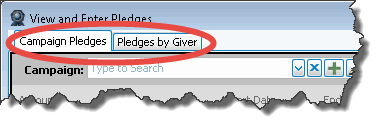
OR
Campaign Pledges
Use this tab to look up your Church’s pledge campaigns to see the campaign information. Along with the campaign information, the list of the campaign participants will also be available for you to view and adjust as needed.
Add a New Campaign
When a new campaign is to take place at your Church, you can set it up with any necessary initial information before you add Givers to the campaign.
Add Givers to a Campaign
Once a campaign is set up, you can add names of anyone making a pledge towards the campaign.
Change or Remove Campaign Information
Make changes to campaigns that already exist, or even removing a desired campaign when you have determined necessary.
Copy a Campaign
Use the same characteristics of an existing campaign to create another campaign.
Pledges by Giver
Use this tab to look up pledge information for participants in your Church’s pledge campaigns. Once the information is pulled up on the screen, you will be able to add new pledges for the pledge participants and make changes to any of their existing pledge information.
Enter Pledges
If an individual or group is making a pledge to give a certain amount of money to a purpose at your Church, you must enter it into the software.
Change and/or Remove Pledge(s)
Make changes to pledges that already exist for specific Givers, or even remove a desired pledge when you have determined necessary.
